> ## Documentation Index
> Fetch the complete documentation index at: https://docs.plaud.ai/llms.txt
> Use this file to discover all available pages before exploring further.
# Transcription API
> Transcribe your user's conversation audio with Plaud's ASR and transcription models.
The Transcription API follows a polling model where you:
After uploading your audio to a publicly accessible URL — either via Plaud's [File Upload API](/plaud-embedded/file-api-overview) or your own storage — submit the URL to the Transcription API to kick off a transcription task.
Use the `GET /transcription` endpoint to poll the Transcription API for the task status.
On completion, the payload will include the transcribed data.
## Using the Transcription API
## Prerequisites
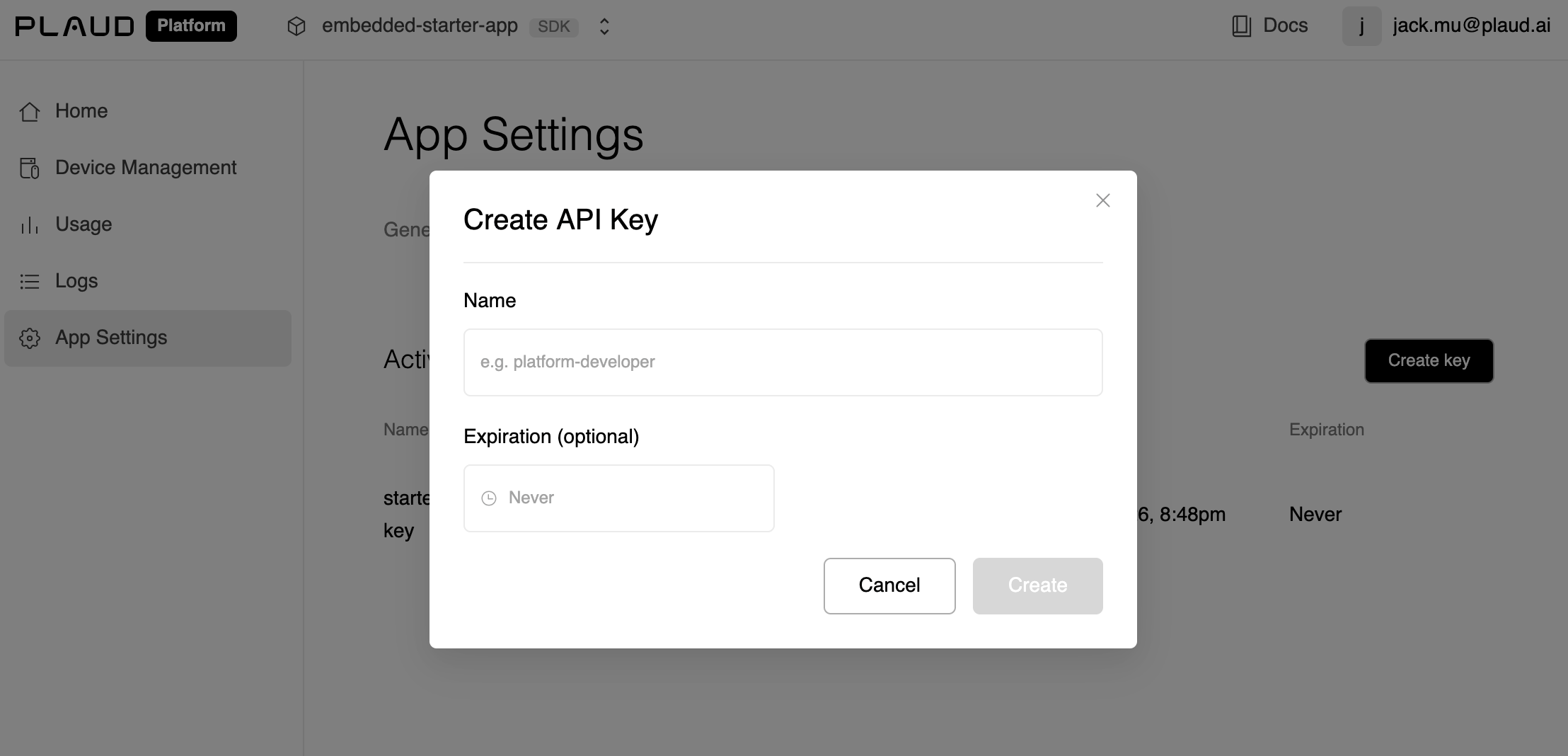
1. If you haven't done so, retrieve your `client_id` and `api_key` from the [developer portal](https://portal.plaud.ai/).
The `api_key` is NOT your `client_secret`. Navigate to App Settings > API Keys.
 2. Have a publicly available download URL with the audio file you'd like to transcribe.
This `file_url` could be your cloud storage OR served through Plaud's [File Upload API](/plaud-embedded/file-api-overview) if you prefer Plaud to host your files.
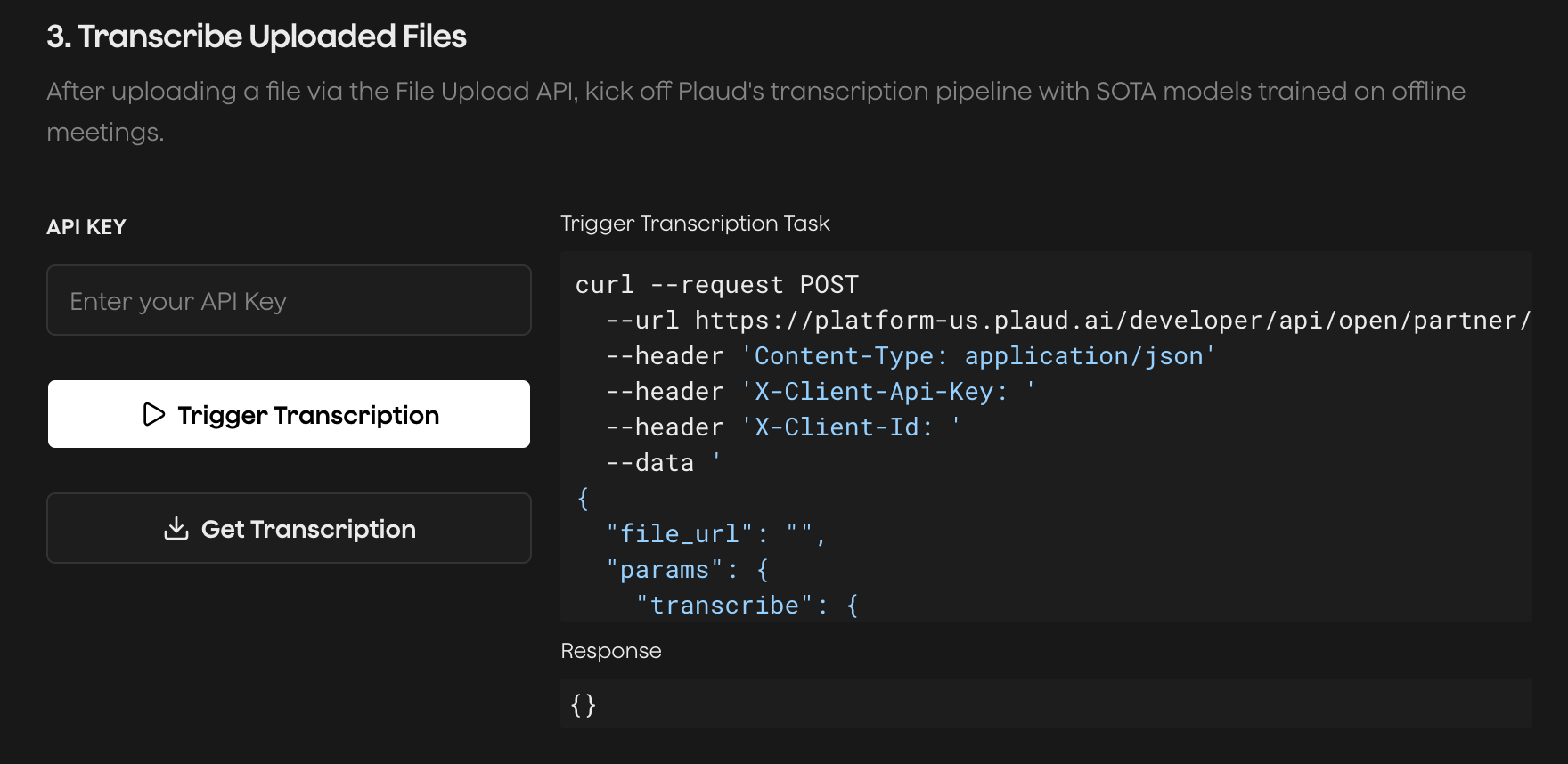
Try the [Plaud Embedded API Playground](https://plaud-embedded-playground.vercel.app/) to see every step of the transcription process with your own client credentials.
End-to-end, from **authentication** to **recording audio** to **uploading** to **transcription**.
2. Have a publicly available download URL with the audio file you'd like to transcribe.
This `file_url` could be your cloud storage OR served through Plaud's [File Upload API](/plaud-embedded/file-api-overview) if you prefer Plaud to host your files.
Try the [Plaud Embedded API Playground](https://plaud-embedded-playground.vercel.app/) to see every step of the transcription process with your own client credentials.
End-to-end, from **authentication** to **recording audio** to **uploading** to **transcription**.
 ### Submit File for Transcription
Submit a transcription task for Plaud Embedded's transcription and ASR models to process.
```http theme={"system"}
POST https://platform-us.plaud.ai/developer/api/open/partner/ai/transcriptions/
Content-Type: application/json
X-Client-Api-Key: [API_KEY]
X-Client-Id: [CLIENT_ID]
{
"file_url": "",
"params": {
"transcribe": { "language": "auto", "model": "plaud-fast-whisper" },
"vad": { "decode_silence": false },
"diarization": { "enabled": false, "return_embedding": false }
}
}
```
```json theme={"system"}
{
"transcription_id": "task_exec_xxx",
"status": "PENDING",
"data": {}
}
```
Recordings **exceeding 5 hours** should be broken into chunks and transcribed in parts.
### Poll Transcription Task Until Completion
Check the status of your transcription task. On the `SUCCESS` status code, the transcript data will be included.
```http theme={"system"}
GET https://platform-us.plaud.ai/developer/api/open/partner/ai/transcriptions/[TRANSCRIPTION_ID]
X-Client-Api-Key: [API_KEY]
X-Client-Id: [CLIENT_ID]
```
```json expandable theme={"system"}
{
"transcription_id": "task_exec_xxx",
"status": "SUCCESS",
"data": {
"text": "Meeting started at 10am...",
"language": "en",
"duration": 1843,
"segments": [
{
"start": 0,
"end": 4.2,
"text": "Meeting started at 10am.",
"speaker": "Speaker 1"
}
]
}
}
```
Plaud's cloud services are hosted in the U.S. by default. If you're
interested in multi-region hosting in Japan, Europe, and Singapore,
please [reach out to our sales team](https://dev.plaud.ai/contact).
### Submit File for Transcription
Submit a transcription task for Plaud Embedded's transcription and ASR models to process.
```http theme={"system"}
POST https://platform-us.plaud.ai/developer/api/open/partner/ai/transcriptions/
Content-Type: application/json
X-Client-Api-Key: [API_KEY]
X-Client-Id: [CLIENT_ID]
{
"file_url": "",
"params": {
"transcribe": { "language": "auto", "model": "plaud-fast-whisper" },
"vad": { "decode_silence": false },
"diarization": { "enabled": false, "return_embedding": false }
}
}
```
```json theme={"system"}
{
"transcription_id": "task_exec_xxx",
"status": "PENDING",
"data": {}
}
```
Recordings **exceeding 5 hours** should be broken into chunks and transcribed in parts.
### Poll Transcription Task Until Completion
Check the status of your transcription task. On the `SUCCESS` status code, the transcript data will be included.
```http theme={"system"}
GET https://platform-us.plaud.ai/developer/api/open/partner/ai/transcriptions/[TRANSCRIPTION_ID]
X-Client-Api-Key: [API_KEY]
X-Client-Id: [CLIENT_ID]
```
```json expandable theme={"system"}
{
"transcription_id": "task_exec_xxx",
"status": "SUCCESS",
"data": {
"text": "Meeting started at 10am...",
"language": "en",
"duration": 1843,
"segments": [
{
"start": 0,
"end": 4.2,
"text": "Meeting started at 10am.",
"speaker": "Speaker 1"
}
]
}
}
```
Plaud's cloud services are hosted in the U.S. by default. If you're
interested in multi-region hosting in Japan, Europe, and Singapore,
please [reach out to our sales team](https://dev.plaud.ai/contact).