> ## Documentation Index
> Fetch the complete documentation index at: https://docs.plaud.ai/llms.txt
> Use this file to discover all available pages before exploring further.
# Background Syncs
> Patterns for mobile apps to sync files from device while mobile app is in the background
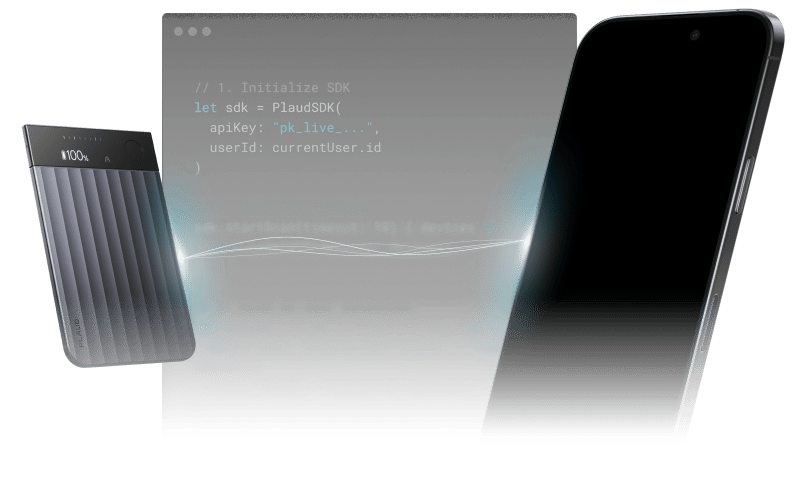
Large recordings may take a while for files to sync from Plaud device to mobile app. A preferred UX is to have file syncs that can run even when the user has the app **in the background or when the screen is locked**.
 ## Exporting Audio in iOS Apps
See our [iOS Starter App](/plaud-embedded/ios-starter-app) for a working example.
### Prerequisites
Make sure that the `UIBackgroundModes = [bluetooth-central]` is enabled in your permission declarations.
```yaml project.yml theme={"system"}
UIBackgroundModes:
- bluetooth-central
```
```xml Info.plist theme={"system"}
UIBackgroundModes
bluetooth-central
```
The bluetooth permission allows the app to react to GATT events while in the background.
### Callback-driven Syncs
Use Embedded SDK callbacks and methods to drive file exports while your app is in the background.
| Type | Method/Callback | Description | Doc Reference |
| :-: | :-: | :-: | :-: |
| Method | `.exportAudio` | Export audio file from device to mobile app | [File Sync](/plaud-embedded/ios-sdk#file-synchronization) |
| Method | `.getFileList` | Gets files from device | [Get all files](/plaud-embedded/ios-sdk#file-synchronization) |
| Callback | `AudioExportCallback` | Callbacks like `onError`, `onProgress`, and `onComplete` | [Export Callback](/plaud-embedded/ios-sdk#audioexportcallback) |
| Callback | `PlaudDeviceAgentProtocol` | Device events like `bleFileList` and `bleRecordStop` | [Bluetooth drive callbacks](/plaud-embedded/ios-sdk#plauddeviceagentprotocol) |
Use a combination of these callbacks and methods, along with recursion, to sync large files and multiple files in the background.
```swift theme={"system"}
final class SyncManager: SyncManagerProtocol {
//...
func startSync() {
PlaudDeviceAgent.shared.getFileList(startSessionId: 0)
}
func bleFileList(bleFiles: [BleFile]) {
downloadNextFile()
}
private func downloadNextFile() {
let next = pendingDownloads.first
let outputDir = RecordingStore.shared.audioDir()
PlaudDeviceAgent.shared.exportAudio(
sessionId: next.sessionId,
outputDir: outputDir,
format: .mp3,
channels: 1,
callback: self
)
}
}
extension SyncManager: AudioExportCallback {
//...
public func onComplete(_outputPath: String) {
guard let sessionId = currentExportSessionId else { return }
PlaudDeviceAgent.shared.deleteFile(sessionId: sessionId)
downloadNextFile()
}
}
final class DeviceManager: DeviceManagerProtocol {
//...
func bleRecordStop(sessionId: Int, _reason: Int, _fileExist: Bool, _fileSize: Int) {
// Auto-sync files 1 second after recording stops
DispatchQueue.main.asyncAfter(deadline: .now() + 1) {
SyncManager.shared.startSync()
}
}
}
```
## Exporting Audio in Android Apps
See our [Android Starter App](/plaud-embedded/android-starter-app) for a working example of the sync loop.
### Callback-driven Syncs
Use Embedded SDK callbacks and methods to drive file exports while your app is in the background.
| Type | Method/Callback | Description | Doc Reference |
| :-: | :-: | :-: | :-: |
| Method | `.exportAudio` | Export audio file from device to mobile app | [File Sync](/plaud-embedded/android-sdk#file-synchronization) |
| Method | `.getFileList` | Gets files from device | [Get all files](/plaud-embedded/android-sdk#file-synchronization) |
| Callback | `AudioExporter.ExportCallback` | Callbacks like `onError`, `onProgress`, and `onComplete` | [Export Callback](/plaud-embedded/android-sdk#audioexporterexportcallback) |
| Callback | `PlaudDeviceAgentListener` | Device events like `bleFileList` and `bleRecordStop` | [Bluetooth driven callbacks](/plaud-embedded/android-sdk#plauddeviceagentlistener) |
```kotlin theme={"system"}
object SyncManager {
private val pending = ArrayDeque()
fun startSync() {
PlaudDeviceAgent.getFileList()
}
// PlaudDeviceAgentListener
fun bleFileList(files: List) {
pending.addAll(files.map { it.sessionId })
downloadNextFile()
}
private fun downloadNextFile() {
val sessionId = pending.removeFirstOrNull() ?: return
PlaudDeviceAgent.exportAudio(
sessionId = sessionId,
outputDir = RecordingStore.exportDir,
format = AudioExportFormat.MP3,
channels = 1,
callback = object : AudioExporter.ExportCallback {
override fun onProgress(progress: Int, message: String) { }
override fun onComplete(outputFile: File) {
PlaudDeviceAgent.deleteFile(sessionId)
downloadNextFile() // the queue re-arms itself here
}
override fun onError(error: String) {
downloadNextFile()
}
}
)
}
}
object RecordingManager {
// PlaudDeviceAgentListener
fun bleRecordStop(sessionId: Long, reason: Int, fileExist: Boolean, fileSize: Long) {
// Auto-sync files 1 second after recording stops
scope.launch {
delay(1_000)
SyncManager.startSync()
}
}
}
```
This documentation is built and hosted on [Mintlify](https://mintlify.com), a developer documentation platform.
## Exporting Audio in iOS Apps
See our [iOS Starter App](/plaud-embedded/ios-starter-app) for a working example.
### Prerequisites
Make sure that the `UIBackgroundModes = [bluetooth-central]` is enabled in your permission declarations.
```yaml project.yml theme={"system"}
UIBackgroundModes:
- bluetooth-central
```
```xml Info.plist theme={"system"}
UIBackgroundModes
bluetooth-central
```
The bluetooth permission allows the app to react to GATT events while in the background.
### Callback-driven Syncs
Use Embedded SDK callbacks and methods to drive file exports while your app is in the background.
| Type | Method/Callback | Description | Doc Reference |
| :-: | :-: | :-: | :-: |
| Method | `.exportAudio` | Export audio file from device to mobile app | [File Sync](/plaud-embedded/ios-sdk#file-synchronization) |
| Method | `.getFileList` | Gets files from device | [Get all files](/plaud-embedded/ios-sdk#file-synchronization) |
| Callback | `AudioExportCallback` | Callbacks like `onError`, `onProgress`, and `onComplete` | [Export Callback](/plaud-embedded/ios-sdk#audioexportcallback) |
| Callback | `PlaudDeviceAgentProtocol` | Device events like `bleFileList` and `bleRecordStop` | [Bluetooth drive callbacks](/plaud-embedded/ios-sdk#plauddeviceagentprotocol) |
Use a combination of these callbacks and methods, along with recursion, to sync large files and multiple files in the background.
```swift theme={"system"}
final class SyncManager: SyncManagerProtocol {
//...
func startSync() {
PlaudDeviceAgent.shared.getFileList(startSessionId: 0)
}
func bleFileList(bleFiles: [BleFile]) {
downloadNextFile()
}
private func downloadNextFile() {
let next = pendingDownloads.first
let outputDir = RecordingStore.shared.audioDir()
PlaudDeviceAgent.shared.exportAudio(
sessionId: next.sessionId,
outputDir: outputDir,
format: .mp3,
channels: 1,
callback: self
)
}
}
extension SyncManager: AudioExportCallback {
//...
public func onComplete(_outputPath: String) {
guard let sessionId = currentExportSessionId else { return }
PlaudDeviceAgent.shared.deleteFile(sessionId: sessionId)
downloadNextFile()
}
}
final class DeviceManager: DeviceManagerProtocol {
//...
func bleRecordStop(sessionId: Int, _reason: Int, _fileExist: Bool, _fileSize: Int) {
// Auto-sync files 1 second after recording stops
DispatchQueue.main.asyncAfter(deadline: .now() + 1) {
SyncManager.shared.startSync()
}
}
}
```
## Exporting Audio in Android Apps
See our [Android Starter App](/plaud-embedded/android-starter-app) for a working example of the sync loop.
### Callback-driven Syncs
Use Embedded SDK callbacks and methods to drive file exports while your app is in the background.
| Type | Method/Callback | Description | Doc Reference |
| :-: | :-: | :-: | :-: |
| Method | `.exportAudio` | Export audio file from device to mobile app | [File Sync](/plaud-embedded/android-sdk#file-synchronization) |
| Method | `.getFileList` | Gets files from device | [Get all files](/plaud-embedded/android-sdk#file-synchronization) |
| Callback | `AudioExporter.ExportCallback` | Callbacks like `onError`, `onProgress`, and `onComplete` | [Export Callback](/plaud-embedded/android-sdk#audioexporterexportcallback) |
| Callback | `PlaudDeviceAgentListener` | Device events like `bleFileList` and `bleRecordStop` | [Bluetooth driven callbacks](/plaud-embedded/android-sdk#plauddeviceagentlistener) |
```kotlin theme={"system"}
object SyncManager {
private val pending = ArrayDeque()
fun startSync() {
PlaudDeviceAgent.getFileList()
}
// PlaudDeviceAgentListener
fun bleFileList(files: List) {
pending.addAll(files.map { it.sessionId })
downloadNextFile()
}
private fun downloadNextFile() {
val sessionId = pending.removeFirstOrNull() ?: return
PlaudDeviceAgent.exportAudio(
sessionId = sessionId,
outputDir = RecordingStore.exportDir,
format = AudioExportFormat.MP3,
channels = 1,
callback = object : AudioExporter.ExportCallback {
override fun onProgress(progress: Int, message: String) { }
override fun onComplete(outputFile: File) {
PlaudDeviceAgent.deleteFile(sessionId)
downloadNextFile() // the queue re-arms itself here
}
override fun onError(error: String) {
downloadNextFile()
}
}
)
}
}
object RecordingManager {
// PlaudDeviceAgentListener
fun bleRecordStop(sessionId: Long, reason: Int, fileExist: Boolean, fileSize: Long) {
// Auto-sync files 1 second after recording stops
scope.launch {
delay(1_000)
SyncManager.startSync()
}
}
}
```
This documentation is built and hosted on [Mintlify](https://mintlify.com), a developer documentation platform.